
Step-by-Step: Add Funds to Redeem Gift Cards with Up to 20% Bonus
Follow these simple steps to buy your gift cards:
Step 1: Access Your Account
Login to the Meltek app at https://meltek.com/login using the email address you used during signup.
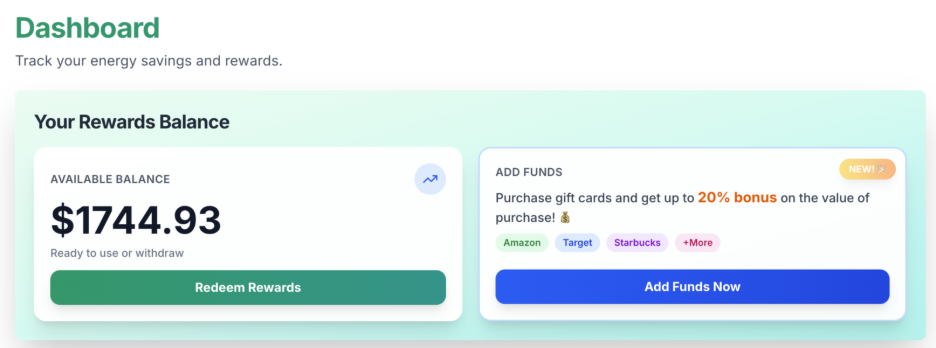
Step 2: Press “Add Funds Now”
Once logged in, you should already be on the “Dashboard” page. Look at the “Your Rewards Balance” section and you should see the button that says, “Add Funds Now”. Press this button to proceed.
Step 3: Input the Amount of Money You Want to Deposit
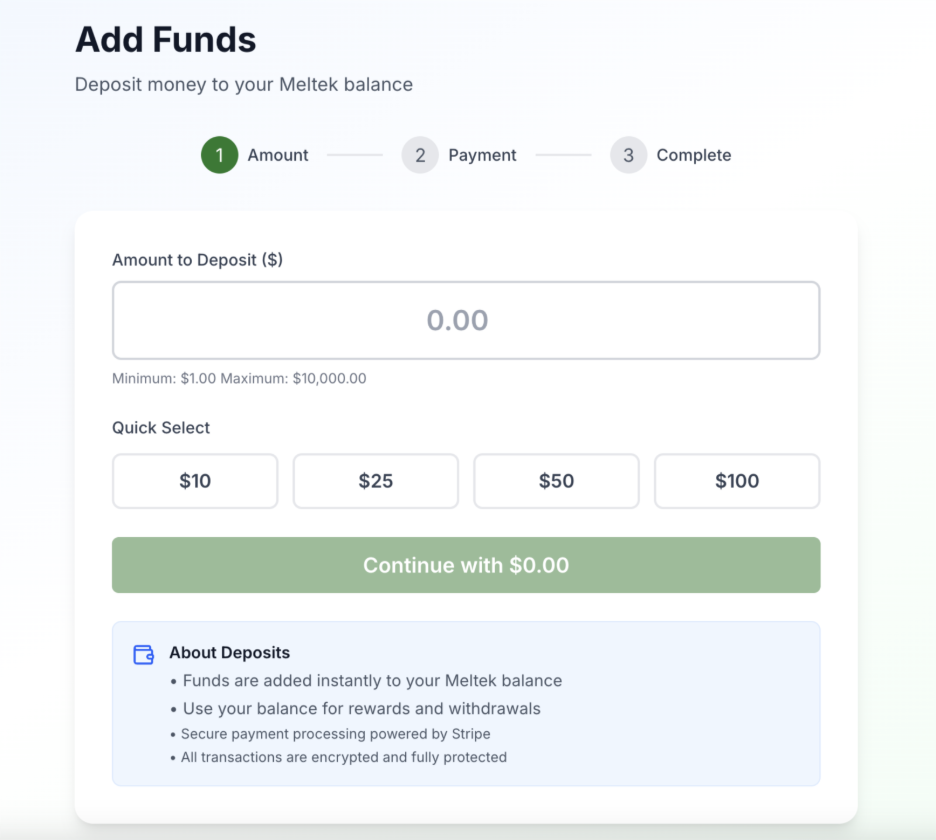
After pressing the “Add Funds Now” button, you will be brought to a new page titled “Add Funds”. Input the amount of money you want to deposit into your Meltek account and press “Continue”.
Step 4: Press “Get Gift Cards + Bonuses”
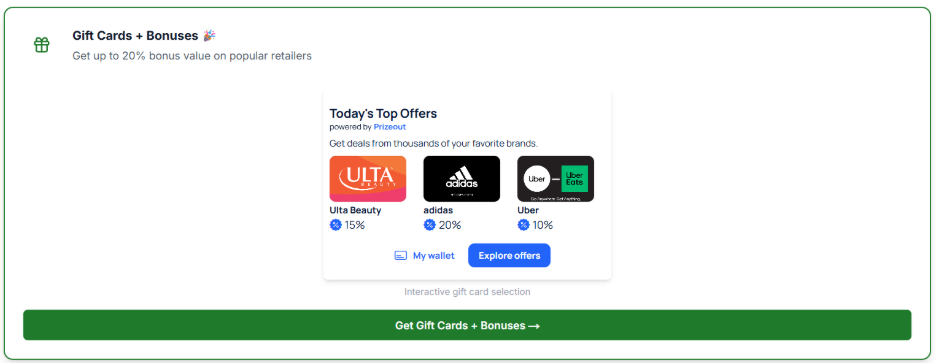
After pressing “Continue”, you will automatically be brought to the “Transactions” page. Scroll down until you see the button that says “Get Gift Cards + Bonuses”. Press this button to proceed.
Step 5: View and Purchase Gift Cards
After pressing “Get Gift Cards + Bonuses”, you will be brought to the “Prizeout” page where you can view all the available gift cards and their bonus value. Click on the gift card you would like to purchase. Choose your desired reward value. Then, press “Select Gift Card” and afterwards, “Confirm Purchase”.
Congratulations! You just bought your gift card! Feel free to buy as many gift cards as you would like for you, your friends, and your family.
Important Notes:
- Didn't receive an email with your gift card? Please check your spam folder, and also navigate to your Meltek profile to make sure the email address attached to your Meltek account is correct.
- Keep in mind the redemption expiration date.
- Gift cards cannot be refunded.
Need Help?
If you have any questions or encounter issues with redemption, please contact our support team.